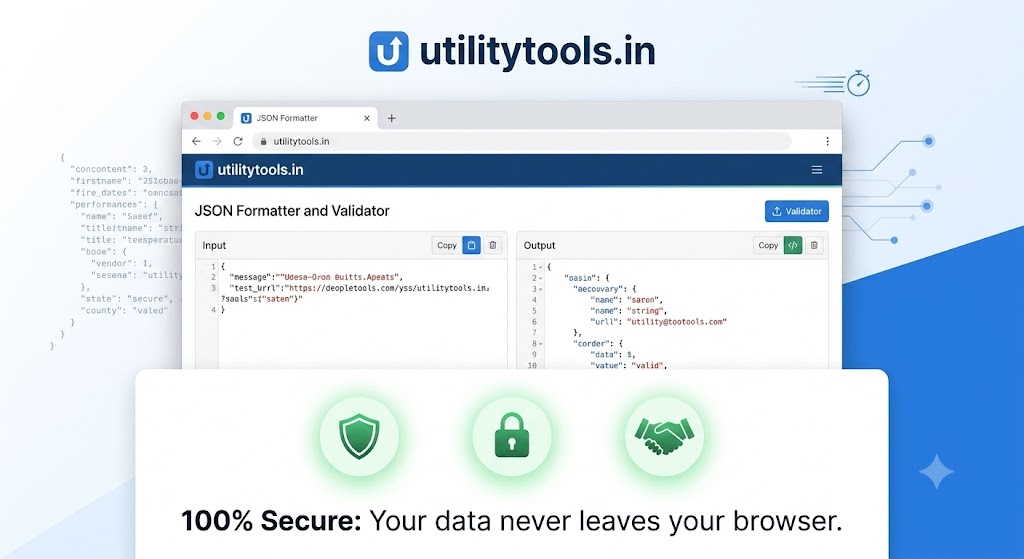
Best Online JSON Formatter and Validator (100% Secure)
In the modern world of web development, data is king. And often, that data is structured in a format called JSON (JavaScript Object Notation). While JSON is inherently easy for machines to read, it can be a absolute nightmare for humans, especially when it's minified into a single, chaotic block of text without indentation.
Introduction
In the modern world of web development, data is king. And often, that data is structured in a format called JSON (JavaScript Object Notation). While JSON is inherently easy for machines to read, it can be a absolute nightmare for humans, especially when it's minified into a single, chaotic block of text without indentation.
This is where a reliable online JSON Formatter and Validator becomes an essential tool in your developer toolkit.
We understand that you have many options, which is why we’ve built utilitytools.in/json-formatter to be the best, fastest, and most importantly, the most 100% Secure JSON utility available online.
Why Do You Need a JSON Formatter?
JSON is the standard format for API responses, configuration files, and data storage. Developers use it constantly. When you receive an API response that looks like this:
{"id":1,"name":"John Doe","email":"john.doe@example.com","roles":["admin","user"],"preferences":{"theme":"dark","notifications":true}}
It's functional, but try debugging it or understanding complex nested structures. Now, paste that same data into our formatter, and it becomes:
JSON
{
  "id": 1,
  "name": "John Doe",
  "email": "john.doe@example.com",
  "roles": [
    "admin",
    "user"
  ],
  "preferences": {
    "theme": "dark",
    "notifications": true
  }
}
Instant clarity. Our tool beautifies the JSON, applying proper indentation, spacing, and even syntax highlighting for easier reading.
The utilitytools.in Difference: 100% Client-Side Security
The biggest concern when using online developer tools is data privacy. When you paste API keys, customer data, or sensitive configuration JSON into a random website, where does that data go? Often, it is sent to a server, processed, and sometimes even stored.
Our JSON Formatter is different. It operates entirely on the client-side.
No Data Transmission: When you paste your JSON, the entire formatting and validation process happens inside your own web browser.
Zero Server Interaction: We do not send your pasted content to our servers.
Complete Privacy: We cannot see your data, and we do not store it.
Your data privacy is our top priority, and we've designed this tool so that your sensitive information never leaves the safety of your own browser.
Built-In JSON Validation
Beyond just looking pretty, our tool is also a powerful validator. When you paste JSON, we immediately verify its structure. If your JSON is invalid (e.g., missing a comma, an unclosed quote, or an incorrect closing bracket), our tool will:
Flag the exact line where the error occurs.
Provide a specific error message describing what is wrong.
This validation is invaluable during development, helping you catch syntax errors instantly and ensuring your JSON complies with correct formatting standards.
Key Features Summary:
🚀 Instant Formatting: Clean and prettify chaotic, minified JSON with a single click.
✅ Real-Time Validation: Catch syntax errors immediately with precise error locations.
🔒 100% Secure & Private: Data processing happens exclusively in your browser. ZERO data is sent to or stored on our servers.
📱 Mobile-Friendly: Our clean interface works flawlessly on desktops, tablets, and smartphones.
🎨 Syntax Highlighting: Colored output makes complex, nested JSON easy to parse.
Stop struggling with unreadable JSON and start using the fastest, most secure formatting and validation tool on the web. Bookmark utilitytools.in/json-formatter as your trusted developer utility today!
Why this matters
Understanding best online json formatter and validator (100% secure) helps you work faster with fewer mistakes. Many users discover this workflow only after wasting time on manual steps or desktop software installs.
Browser-based tools remove friction. You can complete the task from any device, share results immediately, and move on to the next item on your list. That is especially useful for guides workflows in fast-moving teams.
Best practices
Start with a clear goal: what output do you need, and who will use it? For JSON Formatter, define quality expectations before you begin so you do not over-process files.
Keep originals backed up. Online tools are excellent for quick transformations, but archiving source files protects you if you need to re-edit later with different settings.
Review results before sharing externally. Automated processing is fast, yet a quick visual check prevents sending the wrong version to clients or classmates.
Frequently asked questions
Yes — the related JSON Formatter tool on our site is free for everyday use without mandatory registration.
No. A modern browser is enough for most tasks described in this article.
Browse related articles in the same category or open the tool page for step-by-step instructions and FAQs.
Conclusion
Best Online JSON Formatter and Validator (100% Secure) does not have to be complicated. With the right tool and a simple checklist, you can get reliable results in minutes.
Bookmark the related tool page, explore similar utilities, and check back for updated guides as we expand our blog library.
Try JSON Formatter
Format and beautify JSON.



Comments
No login required. Your name is filled automatically when signed in. Comments appear after admin approval.
Loading comments...